A little help with your inbox
Keep Our Raleigh
in your inbox.
Make room for local stories, things to do, and the people making Raleigh home.
Add this address to your contacts or safe senders.
Steps checked against official Google, Microsoft and Apple help guides on September 27, 2026. Each section links to its provider’s instructions.
Choose the email app you use
 Gmail
Gmail
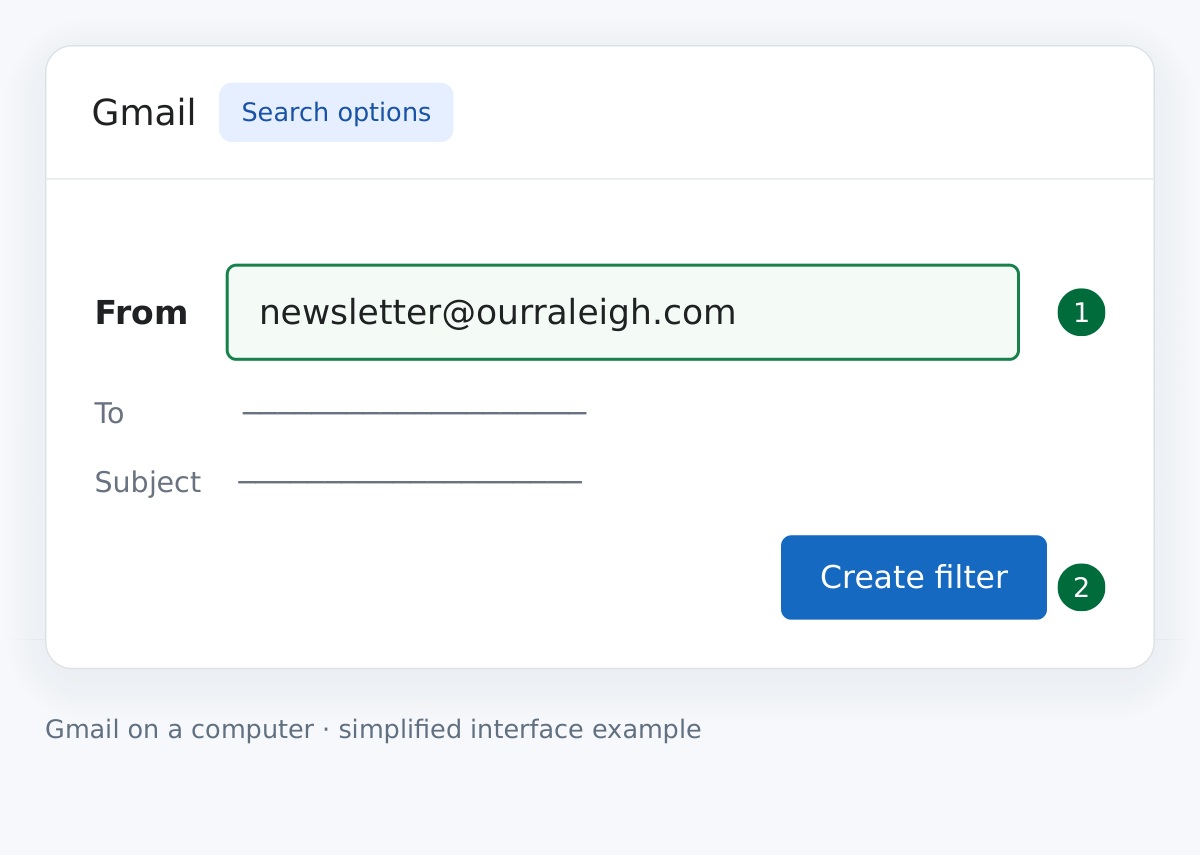
Set up this filter on a computer1Tell Gmail who to look for
Open Gmail’s Show search options beside the search bar. Enter newsletter@ourraleigh.com in From, then select Create filter.
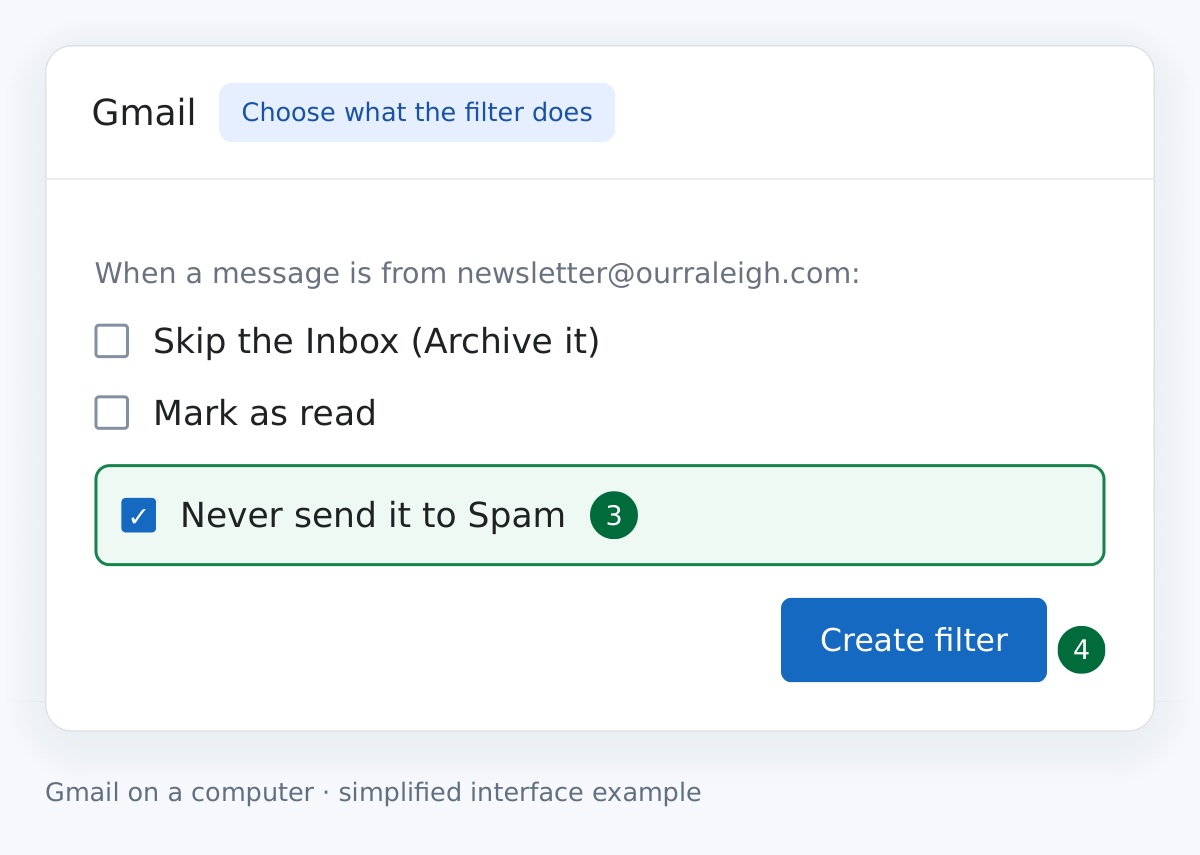
2Keep our messages out of spam
Select Never send it to Spam, then Create filter. The filter applies to future messages from this address.
 Outlook & Hotmail
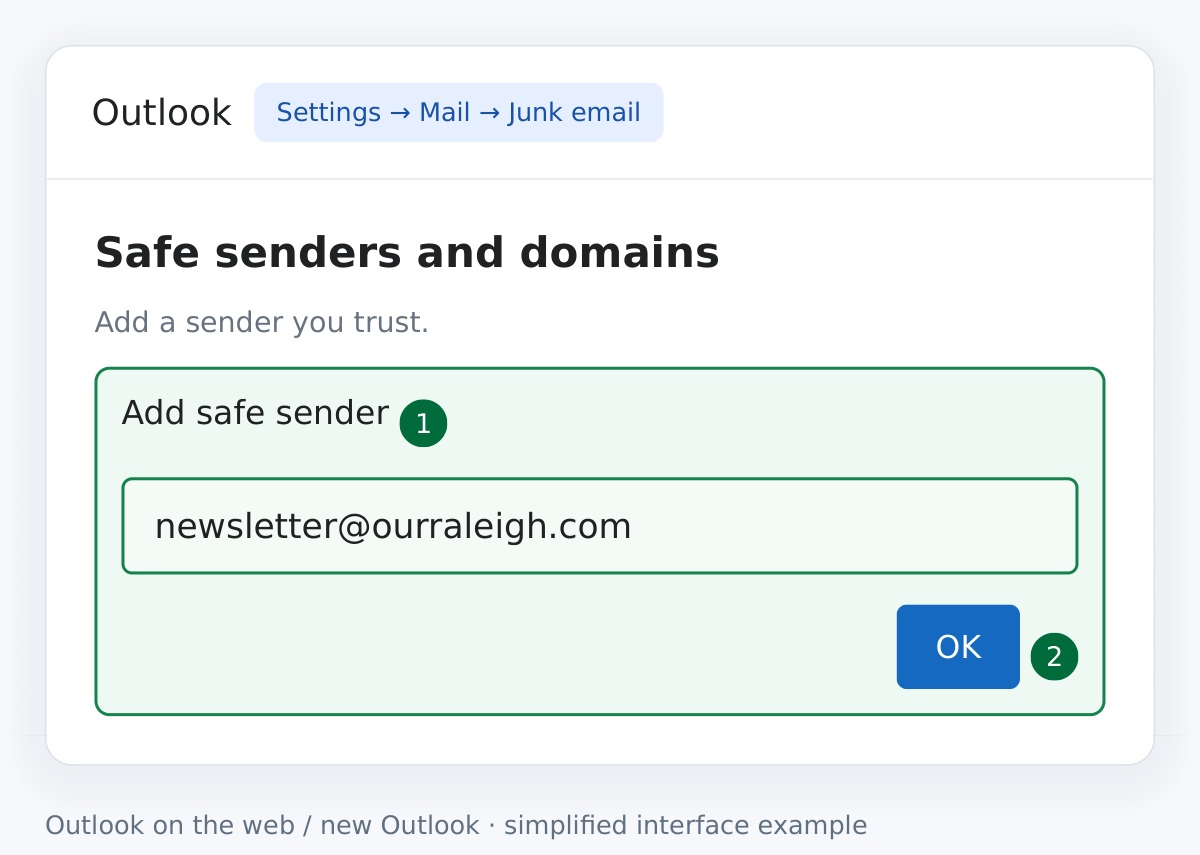
Outlook.com or new OutlookPut Our Raleigh on your safe senders list.
- Open Settings → Mail → Junk email.
- Under Safe senders and domains, select Add safe sender.
- Enter newsletter@ourraleigh.com and select OK. Select Save to finish.
 Apple Mail
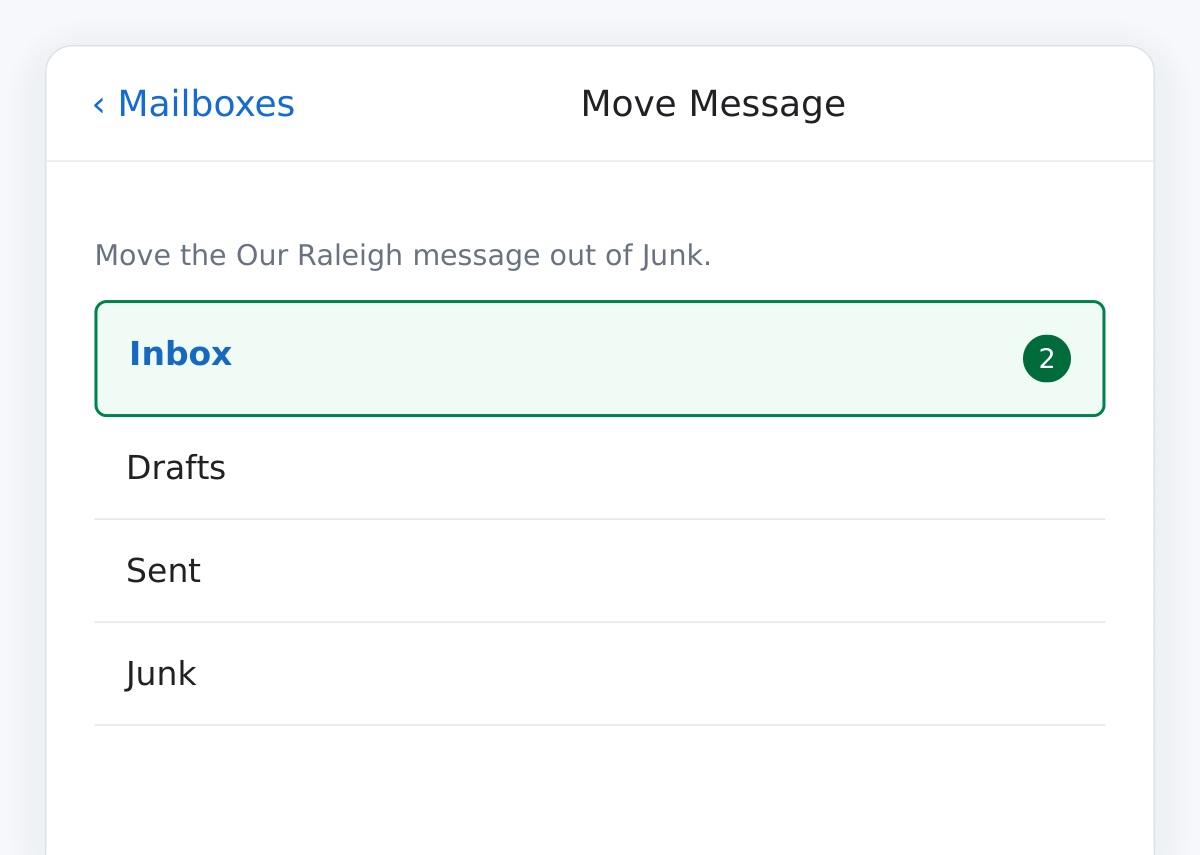
iPhone / iPad · iCloud MailMove a misplaced message back to your inbox.
- Open Mail → Mailboxes → Junk, then open the Our Raleigh email.
- Tap the Move to Folder button and select Inbox.
- Save newsletter@ourraleigh.com to Contacts so the sender is easy to recognize.
Still missing an email?
Search all folders for newsletter@ourraleigh.com. Check Spam, Junk, Promotions and any blocked-sender list. If you just subscribed, look for the confirmation message and confirm your signup.
Using another email app?
Add our address to Contacts and look for Not spam, Not junk or Safe senders. These steps can help, but no setting guarantees delivery to every inbox.